How Many Hours Is Part Time? Everything You Need to Know

If you have come across a part-time employee job description without any description at all, then you are definitely not alone. It is one of those words that are commonly known to people, but yet there is hardly an agreed definition of the word regarding part time hours. 


Employers may mean something totally different than the IRS, and the state itself may have its own rules about the word.


Before you stress over the exact number, see how many hours you have worked while using free paystub generator and see your actual pay breakdown in seconds. Full-time, part-time, or something in between, a clean pay stub will make it easier for you to keep track of your hours to prove your earnings.


The Short Answer


A part-time job is a job that does not exceed 35 hours a week, whereas the typical kind of employment falls between 20 and 29 hours a week.


There are no specific federal rules and regulations stating how many hours is a part time job. The U.S. Department of Labor has made no such requirement in its regulations and left it up to the employers themselves to decide on that. 


Despite the fact that the IRS and ACA do provide an answer to this question, their definition is relevant only to insurance matters and is equal to working less than 30 hours a week (130 hours per month).


How Many Hours a Week is Part-Time?

Here’s how the definitions of part-time job hours per week vary according to different contexts:


  • Bureau of Labor Statistics (data reporting): anything under 35 hours per week
  • Most employers: anything under 35 hours per week
  • ACA/Health Benefits: anything under 30 hours per week
  • Retail and hourly jobs: 20-29 hours per week
  • Some unions or companies: even as low as 15-25 hours


A company can technically call 25 hours a week part-time, while another employer can call 32 hours part-time, and both companies would have the equal right to decide part-time employee hours per week.


What Are Part-Time Hours Per Day?


Part-time working hours during the week result in working between about 4 and 6 hours per day. However, there are employers who have particular requirements. Some jobs may have shorter shifts for longer periods; others may employ staff for fewer days but longer shifts. How many hours you work each day will depend on how your employer organizes shifts. 


Part-Time vs. Full-Time: Key Differences

This is where most people try to define the job classifications because of the vagueness of the phrase “full-time” in federal regulations. The following is a list of items:


Classification Typical Hours/Week
Part-time Under 30–35
Full-time 35–40+
ACA full-time (for benefits) 30+


Full-time employees are expected to work 32 hours per week and can also be classified as part-time employees according to the ACA requirement of working less than 30 hours per week.


Do Part-Time Employees Get Paid Time Off?

No, part-time employees do not get paid time off. 


PTO is not mandated by any federal rules, this is totally at the discretion of the employer. Some organizations provide pro-rated PTO to their part-timers. 


How Many Work Hours Are in a Month?


A rough calculation of the average monthly work hours can be done using the following calculation:


  • Full Time (40 hours per week): 173 hours per month
  • Part Time (25 hours per week): 108 hours per month
  • Part Time (20 hours per week): 87 hours per month


The calculation is made using the assumption that a month has 4.33 weeks.


Does Working Hours Vary by State?


Yes. States such as California and Florida do not have any unique definitions of “part-time,” as many people believe; they follow the same way of defining jobs as employer discretion under federal law. 


The only difference that comes about when state laws come into play is with things like meal breaks, overtime limits, and minimum wage, which can mean different effects of part-time employment in different locations. 


If you are working part-time in one of the states with better labor laws, you should check your state labor department’s website, as the details in the state laws get updated after longer intervals than “part-time” definitions.


Part-Time vs. Temporary Jobs: Not the Same Thing


There is a misunderstanding about part-time employment and temporary employment, which is that they are the same things. Part-time and temporary employment are often mentioned together but they deal with different issues.


  • Part-time is used to describe the hours worked 
  • Temporary denotes the duration of the employment.


For example, a part-time job can last for years, and a full-time job can become temporary in the blink of an eye.


The Bottom Line

The definition of “part-time” is not entirely straightforward, as it differs from one entity or organization to another, such as the IRS, an employer, or a state labor office, etc. 


Generally speaking, if your working hours are below the range of 30-35 hours per week, it should be safe to state that you are a part-time worker. If your working hours are close to the upper limit, it would probably be a good idea to double-check your status with your employer, especially if there are benefits attached to the number of hours you are working.


At the same time, if you are a part-time employee and you do need proof of income (e.g., to apply for an apartment or secure a loan), you can easily receive this document for yourself by generating an accurate pay stub at Free PayStub Now, based on your actual hours and your pay rate.


Quick FAQ


How many hours is considered part-time? 

In general, not exceeding 35 hours per week, although for many businesses, “part-time” means less than 30 hours per week.


How many hours can a part-time worker work? 

There is no such limitation to the number of hours that a “part-time” worker can work; a company may define its “part-time” workers as those who work less than 35 hours per week, for example.


What hours are considered part-time for benefits eligibility? 

The ACA uses the threshold of 30 hours a week for purposes of employer-sponsored health insurance.

How Many Work Days in a Year? 2026 Guide

If you run payroll, freelance, or just want to know how many paychecks are left before that vacation, the question “how many work days are in a year” comes up more often than you’d think. The short answer for 2026: there are 261 weekdays, 250 business days once federal holidays are removed, and 104 weekend days. Here’s exactly how that breaks down, month by month, and how to use it to build accurate pay records.


Quick Answer: Work Days in 2026


  • Total days in 2026: 365 (it’s a common year, not a leap year)
  • Weekend days: 104 (52 Saturdays + 52 Sundays)
  • Weekdays (Monday–Friday): 261
  • Federal holidays: 11
  • Business days (weekdays minus federal holidays): 250


The math is simple once you see it laid out: 365 total days, minus 104 weekend days, leaves 261 weekdays. Subtract the 11 federal holidays that fall on a weekday, and you land on 250 actual business days for the year.


How Many Weekends Are in a Year?


A standard year has 52 full weekends, which works out to 104 weekend days (Saturday and Sunday combined). Because 2026 has 365 days — one more than an even 52 weeks — that extra day lands on a weekday (January 1, a Thursday), so it doesn’t add a 53rd weekend to the count.


How Many Weeks Per Year?


Every calendar year has 52 full weeks, with one (or two, in a leap year) extra day left over. That’s true whether you’re counting weekdays, weekend days, or pay periods. If you’re setting up a biweekly payroll schedule, this is why most years land on 26 pay periods rather than a clean round number.


Working Days in a Calendar Year vs. Business Days


People often use “working days” and “business days” interchangeably, but for payroll purposes they can mean two different things:


  • Working days (weekdays): Every Monday through Friday, regardless of holidays. In 2026, that’s 261 days.
  • Business days: Weekdays minus recognized holidays. Most U.S. employers use this number for payroll, PTO accrual, and project timelines. In 2026, that’s 250 days.


Which one you use depends on your company’s holiday policy. A business that stays open on federal holidays will run payroll closer to the 261-day figure; one that closes for all 11 will land closer to 250.


2026 Federal Holidays (Why the Number Drops to 250)


Eleven federal holidays fall in 2026, and all of them land on a weekday:


  1. New Year’s Day — Thursday, January 1
  2. Martin Luther King Jr. Day — Monday, January 19
  3. Washington’s Birthday (Presidents’ Day) — Monday, February 16
  4. Memorial Day — Monday, May 25
  5. Juneteenth National Independence Day — Friday, June 19
  6. Independence Day (observed) — Friday, July 3 (July 4 falls on a Saturday)
  7. Labor Day — Monday, September 7
  8. Columbus Day — Monday, October 12
  9. Veterans Day — Wednesday, November 11
  10. Thanksgiving Day — Thursday, November 26
  11. Christmas Day — Friday, December 25


Since none of these fall on a weekend that isn’t already shifted to a weekday observance, all 11 come straight out of the 261 weekdays, leaving 250 business days.


Working Days Per Month in 2026


Because January 1, 2026 falls on a Thursday, the days don’t split evenly across every month. Here’s the exact weekday count for each month, plus the business-day total once federal holidays are factored in:


Month Total Days Weekend Days Weekdays Federal Holidays Business Days Work Hours
January 31 9 22 New Year’s Day, MLK Day 20 160
February 28 8 20 Presidents’ Day 19 152
March 31 9 22 22 176
April 30 8 22 22 176
May 31 10 21 Memorial Day 20 160
June 30 8 22 Juneteenth 21 168
July 31 8 23 Independence Day (observed) 22 176
August 31 10 21 21 168
September 30 8 22 Labor Day 21 168
October 31 9 22 Columbus Day 21 168
November 30 9 21 Veterans Day, Thanksgiving 19 152
December 31 8 23 Christmas Day 22 176
Total 365 104 261 11 250 2,000


July and December have the most business days (22 each), while January and November have the fewest (20 and 19, respectively) because each absorbs two federal holidays. On average, that works out to about 20.83 working days and 166.67 work hours per month across the year, assuming a standard eight-hour day.


Why This Number Matters for Payroll and Pay Stubs


Knowing the exact working-day and business-day count for the year isn’t just trivia — it directly affects how pay stubs are calculated:


  • Salaried employees: Annual salary is typically divided by pay periods, not by the number of business days, but HR teams still use the 250/261 figures to sanity-check per-day rates for partial pay periods, new hires, or terminations mid-month.
  • Hourly employees: Multiplying business days by scheduled hours per day gives you the expected gross hours for the year — useful for verifying that a pay stub’s year-to-date totals are tracking correctly.
  • Freelancers and contractors: If you invoice by the day, the 250-business-day figure is a realistic ceiling for billable capacity, before accounting for personal time off.
  • PTO accrual: Many PTO policies accrue based on hours worked per pay period, which ties back to the same business-day math.


If you need to generate a pay stub that reflects accurate year-to-date earnings, hours, and deductions, a reliable paystub generator does this calculation for you automatically  pulling the correct number of pay periods and working days for the year instead of leaving you to do it by hand.


The Bottom Line


For 2026, remember three numbers: 365 total days, 261 weekdays, and 250 business days after federal holidays. Whether you’re planning payroll, tracking PTO, or just budgeting your own work year, these figures are the foundation for getting the math right — and they’re the same numbers a good pay stub calculator uses behind the scenes to keep your records accurate.


Frequently Asked Questions


1) How many work days are in a year? 

A standard year has 261 weekdays. Once the 11 U.S. federal holidays are removed, 2026 has 250 actual business days.


2) How many weekdays are in a year? 

There are 261 weekdays in 2026 — every Monday through Friday across the 365-day year.


3) How many weekend days are in a year? 

There are 104 weekend days in 2026: 52 Saturdays and 52 Sundays.


4) How many business days are in 2026? 

2026 has 250 business days, calculated as 261 weekdays minus 11 federal holidays.


5) How many working days are in a calendar year? 

On a five-day work week, a calendar year has 260 to 262 working days depending on how the year starts. In 2026, the figure is 261.


6) How many weeks are in a year? 

Every calendar year has 52 full weeks, plus one extra day (two in a leap year).


7) What is the average number of working days per month? 

Averaged across the year, 2026 works out to about 21.75 weekdays per month before holidays, or roughly 20.83 business days and 166.67 work hours per month once federal holidays are factored in.


8) How many work hours are in a year? 

Based on 250 business days and a standard eight-hour day, 2026 comes out to 2,000 work hours for a full-time employee — before any additional PTO is subtracted.

USA Federal Holidays in 2026: A Complete List

Planning your vacation trips, calculating the date when the bank is closed, or even wondering about your next three-day weekend depends on your knowledge of the federal holidays in 2026. There are 11 federal holidays in 2026, and we have listed all of them below, along with the dates and days of each holiday. 


Whether you are an employee verifying your pay schedule, a small business owner preparing for bank closures, or someone who prefers booking flights in advance, you have all the information you need regarding federal holidays 2026.


What Is a Federal Holiday?


A federal holiday is an official holiday in the United States that is designated by the government according to federal law. 


During Federal holidays USA, the federal government is closed, as well as post offices, banks, stock exchanges, and many schools. 


There are 11 federal holidays per year, as well as one additional holiday for Washington D.C., every four years on the occasion of a presidential inauguration.


2026 Federal Holidays: The Full List


Here’s the complete 2026 holiday calendar, straight from the Office of Personnel Management’s schedule.


Holiday Date Day
New Year’s Day January 1 Thursday
Martin Luther King Jr. Day January 19 Monday
Washington’s Birthday (Presidents’ Day) February 16 Monday
Memorial Day May 25 Monday
Juneteenth National Independence Day June 19 Friday
Independence Day July 4 (observed July 3) Saturday (observed Friday)
Labor Day September 7 Monday
Columbus Day October 12 Monday
Veterans Day November 11 Wednesday
Thanksgiving Day November 26 Thursday
Christmas Day December 25 Friday


Important Fact: There are no holidays in March, April, or August in the year 2026. If you’re taking days off work for vacation, you’ll have to use your own PTO in those months.


A Closer Look at Each Federal Holiday 2026


Here is a closer look at each Federal holiday in 2026. 


New Year’s Day – Thursday, January 1


The year begins with this federal holiday. Because it falls on a Thursday, many people will try to make a four-day weekend by adding Friday to the mix.


Martin Luther King Jr. Day – Monday, January 19


Observed on the third Monday of January each year, MLK Day is dedicated to the memory and work of the civil rights leader, providing federal employees with a guaranteed long weekend.


Presidents’ Day – Monday, February 16


This federal holiday has another name: Washington’s Birthday, but the question of when it is Presidents Day 2026 often arises. The answer is simple: the third Monday in February. 


Memorial Day 2026 – Monday, May 25


The last Monday in May always brings Memorial Day. This federal holiday honours those Americans who have died in service in the armed forces.


Juneteenth National Independence Day – Friday, June 19


Juneteenth is the latest federal holiday that was declared in 2021. It honours the day when the last African American slaves learned about their freedom in 1865. In 2026, Juneteenth falls on a Friday, which is just a great beginning to the weekend.


Independence Day – Saturday, July 4 (Observed Friday, July 3)


Fourth of July in 2026 occurs on a Saturday. As federal holidays 2026 that occur on weekends are moved to the nearest working day, federal offices will be closed on Friday, July 3, this year.


Labor Day 2026 – Monday, September 7


The first Monday in September is designated as Labor Day 2026, the celebration of American workers and the labor movement. Moreover, it marks the unofficial end of summer.


Columbus Day –  Monday, October 12


Columbus Day in 2026 will occur on the second Monday of October. This day is also marked by some states and cities as Indigenous Peoples’ Day.


Veterans Day – Wednesday, November 11


One thing that sets Veterans Day apart from other federal holidays is that it is always observed on November 11, no matter what the weekday is. So, in 2026, Veterans Day will fall on a Wednesday, meaning that it won’t result in a weekend.


Thanksgiving Day – Thursday, November 26


As per the definition of Thanksgiving, it is observed on the fourth Thursday of the month of November every year. It is one of the most celebrated holidays in the United States and in addition, many people have Friday off after it.


Christmas Day – Friday, December 25


It is the last holiday in the year 2026 and falls on a Friday, making for a great weekend ending the year.


How Do “Observed” Holiday Dates Work?


This is not always the case because sometimes these holidays fall during weekends. The following are some general guidelines that apply in such situations:


  • The holiday will be observed the preceding Friday if it occurs on a Saturday.
  • If the holiday occurs on a Sunday, then it will be observed the following Monday.


In 2026, this guideline will apply to Independence Day because this holiday will occur on a Saturday, and it will be observed on Friday, July 3.


Federal Holidays vs. State and Company Holidays


It should be noted that the 2026 federal holidays provide paid holidays only to federal workers. It is not necessary for private companies to give holidays or pay extra for holidays since they have no legal obligation to follow the federal calendar. However, some states provide additional holidays beyond those provided federally, so you should consider consulting your employer or the state administration regarding the holidays.


Final Thoughts


If you are trying to plan out your holiday calendar, planning out payroll for federal holidays in 2026, or even just wondering what the dates are for your next weekend off, this blog has you covered. Save this blog for future reference, anytime you want an answer to your questions regarding holidays in 2026.


Note: If you want to generate your pay stub with correct calculation, you can use the pay stub generator


People May Ask 


1) How many federal holidays are there in 2026? 

There are 11 federal holidays in 2026.


2) When is Memorial Day 2026? 

Memorial Day 2026 falls on Monday, May 25.


3) When is Labor Day 2026? 

Labor Day 2026 falls on Monday, September 7.


4) Is Good Friday a federal holiday? 

No. Good Friday is not on the official list of federal holidays, even though some state and local governments observe it.


5) Which months have no federal holidays in 2026? 

March, April, and August don’t have federal holidays in 2026. 

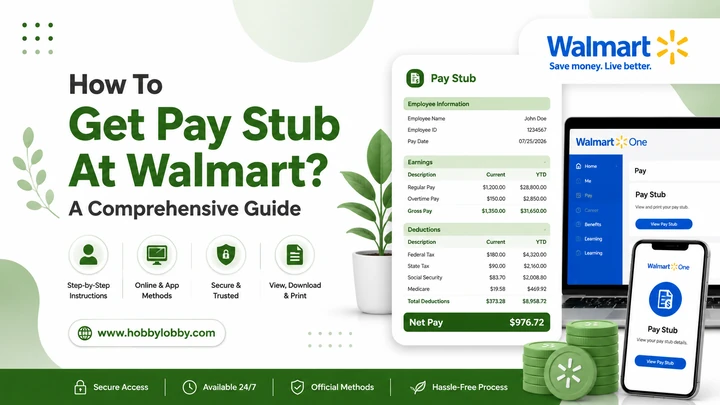
How To Get Pay Stub At Walmart? A Comprehensive Guide

If you worked or currently work at Walmart and need to look up a pay stub at Walmart, you’re in the right spot. You might also be renting a new apartment and need to show proof of income. Or maybe you just want to see your hours and your deductions. For whichever reason, you can easily acquire your Walmart pay stub once you know where to look.


If you are a current Walmart employee or former employee, even if you just need to get your W2, we will guide you through each and every way to get your paycheck stub Walmart.


If you can’t retrieve your Walmart pay stub, you can make one by using a paystub creator.


What Is Walmart?


Walmart is one of the largest retailers in the world, with thousands of stores operating throughout the United States and other countries. In the U.S. alone, it employs over 1 million workers made up of store associates, cashiers, warehouse staff, truck drivers and corporate workers. Since Walmart is such a massive employer, it hosts its own internal payroll and other HR systems rather than outsourcing entirely to an external provider; so associates can control their schedule, pay and benefits all from the same place on various platforms like OneWalmart and the Me@Walmart app.


What Is a Walmart Pay Stub?


Walmart pay stub is a document detailing how much you made at Walmart during a given pay period, and exactly how much of it was withheld in the form of taxes and other deductions. This is what your Walmart pay stub typically consists of:


  • Your gross pay (total income before any deductions are made)
  • Your net pay (the money that actually gets sent to your bank account)
  • Federal and state tax withholdings
  • Social Security and Medicare deductions
  • You may also be enrolled in health insurance or contribute to a 401(k);
  • Total hours worked at Walmart with hourly rate


Walmart pays its associates every two weeks, so a new Walmart check stub becomes available at the end of each pay period. You can access all of your pay stubs, current and past, through the Walmart employee portal.


How To Get Walmart Pay Stub?  (Step-by-Step)


The easiest way to view your Walmart paycheck stub is through the OneWalmart employee portal. Here’s exactly how to do it.


Step 1: Go to the OneWalmart Portal


Search for the term “OneWalmart” in your browser or go directly to the official Walmart associate login page. You’ll still log on to the same online portal you use to check your schedule, benefits and other work-related information.


Step 2: Log In With Your Walmart Credentials


You must have the Walmart Identification Number (WIN) or employee user ID and password. If it is your first time logging in, you may have to create an account using our employee information.


Step 3: Find the “Paystub” Section


After doing pay stub portal login, go to the Money or Paystub tab. It will open a list of your most recent pay stubs when you click on it. Any pay period can be clicked on to view the details.


Step 4: View, Download, or Print


You will then have the option to view your Walmart paystub on screen, download it as a PDF or print it straight from there; whichever way makes sense for you!


How To Get a Walmart Pay Stub Through the App


Walmart also has a mobile app if you prefer phone vs. computer for viewing. For Current Associates: The Me@Walmart, later named My Walmart paystub app, allows you to access your schedule, pay, and benefits from anywhere!


  1. Download My@Walmart on the App Store or Google Play.
  2. Log in with the same Walmart ID and password as for your OneWalmart portal.
  3. Select “Pay” or “My Walmart Paystub” to see your most recent earnings.


A particularly useful option if you’re out and about and do not have access to a computer.


Walmart Pay Stub Portal Login Issues? Try This


Can’t log in to the pay stub portal Walmart? Here are a few quick fixes:


Forgot your password?

Go to the One Walmart login paystub page, click on the “Forgot Password” link, and follow the reset instructions.


Wrong WIN or employee ID?

If you’re unsure, verify this with your store manager or HR.


Account locked?

Exceeding failed login attempts will lock your access for some time to get pay stubs from Walmart. Please wait some time, then try again or call the Walmart HR Helpline.


Slow or unstable internet?

As is often the case, the most straightforward solution simply involves a better connection.


If none of this is working, your local Walmart HR office or People Lead can assist you in regaining access.


How Former Employees Can Get a Walmart Pay Stub


If you have left Walmart and you want Walmart Paystub former employee, do not worry; your previous pay stubs can still be accessed too.


The Walmart Alumni Portal (occasionally referred to as the “OneWalmart for former associates” website) is used by former employees logging in instead of current employees using the regular employee login. Here’s how it works:


  • Look for the Walmart Alumni or former associate login page
  • Log in via your old WIN number and the password you created when leaving the company.
  • After logging in, you will see access to your past pay stubs with applicable employment records.


If you never activated an account before leaving, or forgot your login information, you’ll likely be required to verify your identity using your Social Security number and date of birth, or contact the Walmart payroll support line directly.


How To Get a W2 From Walmart?


A W2 is not a pay stub (which shows your gross earnings and tax withholdings every paycheck); instead, it gives an annual summary of all the earnings you received working for an employer and how much was withheld from your taxes. W2s are accessible through Walmart for former and current employees.


  • Current Employee: Your W2 can be found with a OneWalmart account about the end of January, yearly.
  • Former Employees: Walmart w2 for previous employees can be obtained at the Walmart Alumni Portal or, if it is not held on file, through Walmart’s official W2 partner site.


Still can’t find it? Walmart will even send a hard copy of your W2 to the address on file, so check to see that you have an updated mailing address before exiting.


Don’t Have Access to Your Walmart Pay Stub?


There are times that you need a pay stub almost immediately;  for instance, if you’re applying to rent an apartment or may be applying for a loan. In this case, waiting on a payroll department response or on logging into your portal is not going to work. 


In such cases, use a pay stub generator like at Free PayStub Now. Using your own income sources, you can compute an accurate pay stub quickly and without errors on paystubmaker. This is a quick and easy backup option when you need income verification but can’t afford to wait.


Final Thoughts


There’s nothing to it, getting your Walmart check stub. Whether you are logging into OneWalmart, checking the My@Walmart app, or using the Alumni Portal as a former associate, your earnings information is only a few clicks away. 


Frequently Asked Questions


1) How do I get my pay stub from Walmart if I’m a current employee?

Sign in to OneWalmart or the Me@Walmart app, then enter your Walmart ID and password; Navigate to Pay → View Stub or Download Stub.


2) How can former employees get their Walmart pay stub or W2?

Former associates log in to the Walmart Alumni Portal by using their previous WIN number and password to check pay stubs and W2s.


3) What if I forgot my Walmart login information?

If you have forgotten your password, use the “Forgot Password” option on the login page, or if it is to identify yourself, HR/payroll support helps you access assist.


4) Does Walmart charge a fee to view pay stubs?

No, it is free to view, download or print your Walmart pay stub on the OneWalmart portal or app for associates.


5) How often are Walmart pay stubs updated?

Walmart pay employees on a 2-week basis, so a new pay stub is submitted at the end of each pay period.


6) Can I get a printed copy of my Walmart pay stub?

Yes. After logging in, you will have the option to download your pay stub as a PDF and print it off any computer or printer.


7) What’s the difference between a pay stub and a W2?

A pay stub represents what you earned over a single pay period, whereas a W-2 is the total cumulative earnings for the whole year, with tax withholdings determining how much money to keep when filing taxes.


Also Read: 

How to Access Your Account and USAA Paystub

How to Access Your Salesforce Paystub Online

How to Access Adobe Paystub Online

How To Get American Express Paystub

How to Get GEICO Paystub From GEICO Portal Login

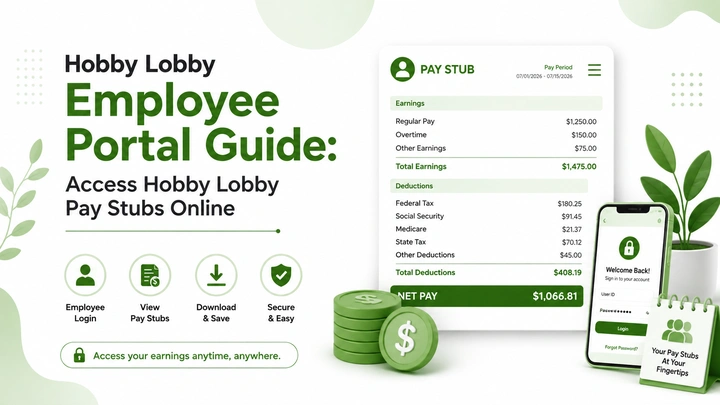
Hobby Lobby Employee Portal Guide: Access Hobby Lobby Pay Stubs Online

When you work at Hobby Lobby, or you did, and need a copy of your Hobby Lobby pay stub, but you don’t know the way! Great news is: you don’t have to call the store or hang out on hold with HR. Hobby Lobby gives its employees access to a free account called the Hobby Lobby Employee Portal, where, once you log in, your pay stubs, W-2s, and work schedule are all sitting there waiting for you.


The problem is that the login page access process, of course, isn’t easy to find, and many an employee forgets a password after a few months of not using it. This guide will cover exactly how to do a Hobby Lobby employee login, what to do if you get locked out, and how to access your pay stub with a free pay stub generator when the portal just isn’t cooperating.


What Is Hobby Lobby?


Hobby Lobby is widely regarded as the most prominent arts-and-crafts retail chain in America. It focuses on one-stop shopping for everything from fabric and framing supplies to home decor and seasonal merchandise. Established in 1972, the chain has grown to hundreds of retail outlets nationwide. 


It’s a privately held business, and that’s partly why it’s running its own in-house employee systems, including the Hobby Lobby portal, rather than outsourcing everything to a third party.


It matters for this guide because it clarifies why the Hobby Lobby employee portal log in looks and works as it does: Because it’s a company-built tool specifically designed to be used by Hobby Lobby’s own employees, not some cookie-cutter payroll app that a dozen other retailers are also using.


What Is the Hobby Lobby Employee Portal?


The Hobby Lobby work portal is a private site designed for current or former people who work at Hobby Lobby. It’s like your own HR Office but without the waiting room. After logging in with your employee ID, you have the ability to:


  • View and download your pay stubs
  • Check your upcoming work schedule
  • Change your address, phone number, or direct deposit information
  • Read news about the company and updates to store policy
  • When tax season comes around, pull out your W-2
  • Message your manager


This is the same concept as an employee login page you might encounter when you work for similar retailers; one account, everything in your job located all in one place and accessible from either a mobile phone or on your home computer.


employee.hobbylobby.com – The Official Login Page


The Hobby Lobby employee portal resides at employee. hobbylobby. com. That is the way to bookmark, not a search result, not a link from some random text message. When you search for the term “hobby lobby employee portal” on Google, this employee. hobbylobby domain is usually listed at the top, and that is what you are looking for!


Quick safety catch: Never ever enter your employee ID or SSN on a site other than the official hobbylobby. com domain. Payroll and login scams often mimic the design of genuine portals, so check the address bar before you enter any of your information.


How to Log In to the Hobby Lobby Employee Portal


Hobby Lobby login takes a minute once you know where everything is.


    1. Open site: Now open the browser and type employee. hobbylobby. com.
    2. Choose your login type: Most stores have login types split by role (hourly team member or management); select the one that fits your role.
    3. Enter your Employee ID: From your onboarding form or HR manager, you have your ID.
    4. Do Hobby Lobby employee login: You should be taken immediately to your personal dashboard.


If everything aligns, you are staring at your dashboard in seconds. The pay stub section is only a click from there.


First-Time Login: Setting Up Your Account


If you’ve never used the portal before, you’ll need to register to log in.


  • Go to employee.hobbylobby.com, and click on Register or New User.
  • Keep your Employee ID handy; this can be obtained from either your manager or the Hobby Lobby HR department at the store you work in.
  • You may be asked to verify your Social Security number and several basic pieces of information, just to show that the account is yours.
  • Think of a password that you can actually remember and now save your password somewhere because you don’t want to lock yourself out.
  • After you get your account up and running, there will be no need to cancel again;  just sign in using your ID as well as your password from now on.


How to Find Your Pay Stub Once You’re Logged In


You are only in the portal after all, because you want to see your real pay stub, so here is where to look exactly:


  • Use your Employee ID and Password to log in to the Hobby Lobby Employee portal.
  • On your dashboard, find either a Payroll or Pay Stubs tab as shown below.
  • Click on it, and you’ll get a list of your previous pay periods.
  • Choose the pay period date you need;  your last cheque, or any other old one for tax or loan purposes.
  • If you Hobby Lobby paycheck stub as a PDF, just choose Download, or Print to create a paper copy immediately.


Troubleshooting Hobby Lobby Login Issues


1. Forgot Your Password


If you forgot the Hobby Lobby employee login, Here’s how to get back in:


  1. Go to employee.hobbylobby.com and click “Forgot Password.”
  2. Enter your Employee ID when prompted.
  3. Follow the on-screen steps to create a new password.


If the reset tool isn’t working, or you’re not sure what Employee ID is on file, reach out to Hobby Lobby’s employee help line directly.


2. Portal Won’t Load or Log You In


Before you assume something’s wrong,  try these quick fixes:


  • Delete the cache and cookies for your browser.
  • So consider the another device.
  • Make sure Caps Lock is off.
  • Please wait 20–30 minutes and try again


If none of that works, contact your store’s HR representative or Hobby Lobby’s payroll support line.


How To Get Your Hobby Lobby W-2?

When tax season rolls around, you can access your Hobby Lobby W2 on the same employee portal where you get your pay stubs. Find the “Tax Forms” or “W2” section on your dashboard;  it’s generally ready by the end of January. 


If you have left the company and no longer have access to the portal, another option is to obtain a printed copy by contacting Hobby Lobby’s payroll or HR department. Be sure to provide your full name, previous employee ID number (if applicable), and last known address when sending out this request.


Try a Pay Stub Generator Instead If The Portal Is Not Working

Sometimes the portal is down, your login just won’t work, or you left the company months ago and lost access entirely. That’s exactly the kind of situation freepaystubnow.com was built for. This lets you enter your pay details: hours worked, pay rate, deductions, and creates a clean, accurate stub you can download in minutes. 


Disclaimer: freepaystubnow.com is not affiliated with or endorsed by Hobby Lobby Stores, Inc. or Mardel. This article is for general informational purposes only. For account or login issues, please contact Hobby Lobby directly.


Frequently Asked Questions


1) What is the Hobby Lobby employee portal login page? 

The official login page is employee.hobbylobby.com.That is where active and former employees sign in to see pay stubs, schedules, W-2s, etc.


2) How do I log in to employee.hobbylobby.com?

Go to the login page, click on Register/new user, and provide your Employee ID and earliest year of service information along with registering your Password.


3) I forgot my Hobby Lobby employee login. What do I do?

On the login page, click on the “Forgot Password” link, enter your Employee ID, and follow the password reset steps. If that still does not work, reach out to your store’s HR.


4) How do I view my Hobby Lobby pay stub online?

Simply sign in to the employee portal, click on the Payroll or Pay Stubs tab, select the pay period you want, and download it or print it out.


5) Can former Hobby Lobby employees still access their pay stubs? 

Yes, in most circumstances, former employees can log in with their existing user details for some period of time after leaving. Contact the Hobby Lobby payroll department directly if access has expired for copies of previous pay stubs, and you really should not have up-to-date W-2 or 1040 tax returns.


6) Does Hobby Lobby give employees a discount? 

Yes, employees usually do get a discount on purchases, but rates can vary depending on your store and current company policy.


7) How often does Hobby Lobby pay employees? 

Hobby Lobby locations have biweekly payroll with checks coming on Friday.


8) How do I get my Hobby Lobby W-2 form?

You can retrieve your W-2 in the same employee portal under something like “tax forms,” normally by late January. Previous workers are able to request a printed out one from HR or payroll.


9) What if the Hobby Lobby employee portal is down?

Either clear your browsing cache and retry, or wait a few moments to see if it is a scheduled maintenance that is ending soon. If the store or payroll support line is still not working after this, contact the store.


10) Is there a separate Mardel employee portal? 

Mardel employees tend to use the same login system as Hobby Lobby, given Mardel is owned by Hobby Lobby’s parent company. Note: Contact your store manager to see if your Mardel account needs an additional link.


Also Read:

What Is LTD on My Paycheck?

What is STD on Paystub?

What is OASDI on My Paycheck?

How To Get Pay Stub At Walmart?

USA Federal Holidays in 2026

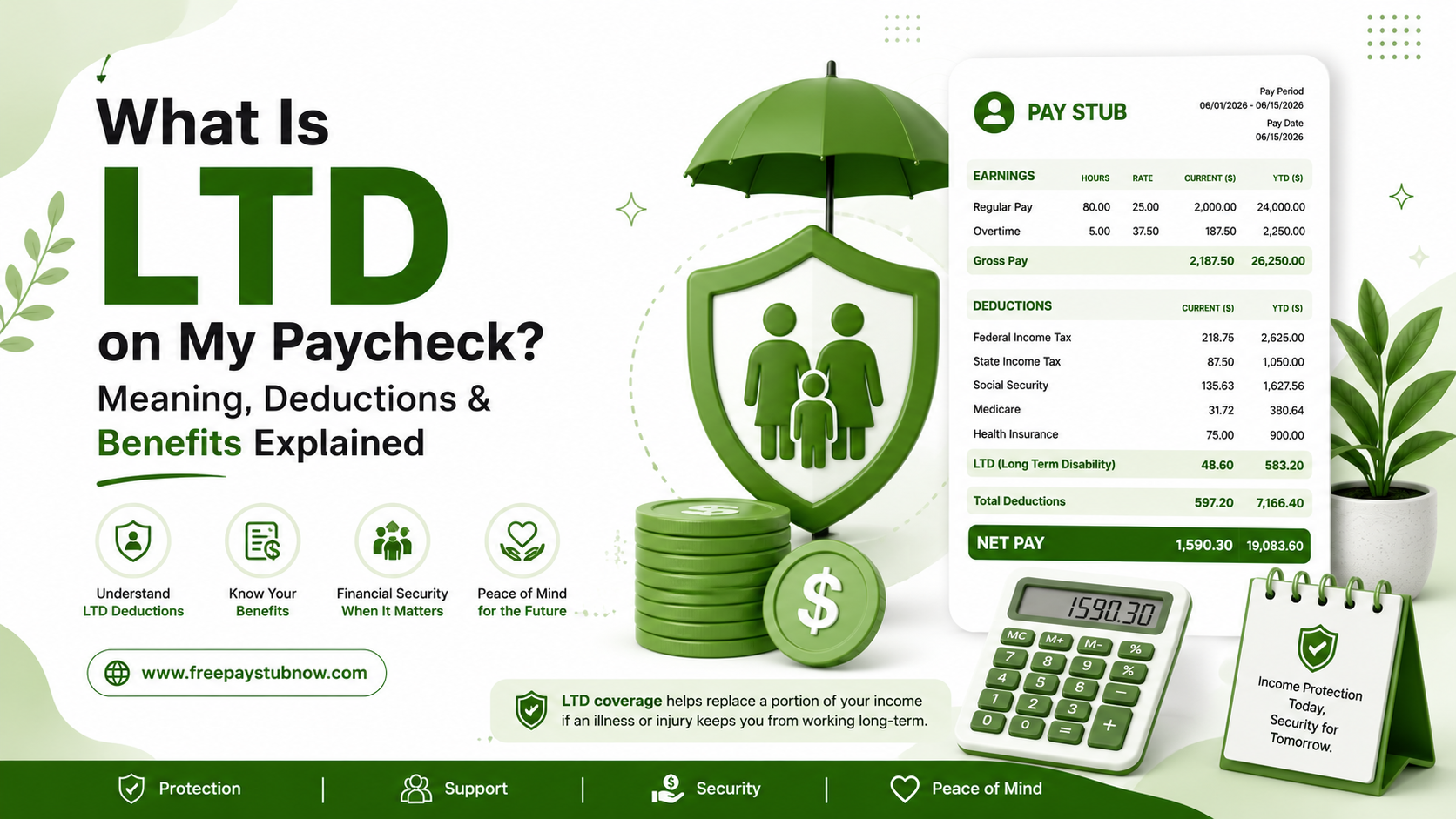
What Is LTD on My Paycheck? Meaning, Deductions & Benefits Explained

You’re scanning through your pay stub;  perhaps verifying hours worked, maybe trying to figure out why your take-home pay seems off, and then that LTD hits you. An explanation, not even a dollar sign contextual clue, just those three letters hanging out in your deductions column.


You are not the only one who turned off this one. You know those pay stub codes that no one ever elaborates on; that’s not in the onboarding packet, not in the benefits email, and surely not on the pay stub? So let’s clear it up properly, including the parts most articles skip over, like LTD-ER, imput income, and whether it’s even taxed the same way for everyone.


You will know what all the abbreviations look like after generating a paystub with the free paystub maker


What Does LTD Mean on a Paycheck?


LTD stands for Long-Term Disability. LTD is an insurance coverage that replaces part of your income if you get sick or hurt badly and can’t work for an extended stretch of time. 


If you see “LTD” as a line item taking money out of your check, it usually means one of two things:


  • You have an employer-sponsored LTD plan, and you’re paying all or part of the premium.
  • Your employer pays for it, but they will still show it on your stub so you can see the value of the benefit.


Well, either way, the existence of that LTD is actually a positive sign. So it gives you a safety net if something were to happen regarding your health in the future.


LTD in Paystub vs. LTD on W2 – Are They the Same Thing?


Mostly, yes, but here is why people are asking about the nuance.


On pay stub: LTD on pay stub shows up as a small deduction each pay period (or more often than not, an informational line with no deduction whatsoever if your employer pays for it).


On W-2: Depending on how the premium was paid, a few things are treat differently.


  • Assuming you made your payment from after-tax money, it probably won’t appear anywhere special on your W-2 because it’s already include in your regular taxable wages.
  • If your employer paid the premium and it’s taxable to you, then it may appear in Box 14, which is a box employers use for catch-all purposes.
  • As the pre-tax contributions should lower your taxable wages a little bit, like other pre-tax deductions, if they came out before tax.


If you’re unsure which side you fall on, your payroll or HR team can answer it in about thirty seconds; it’s a common enough question they’ll know exactly what you’re asking.


LTD-ER on Paystub – What’s the “ER” About?


This one confuses a lot of folks and, honestly, it’s an understandable confusion because most pay stub systems don’t really explain it well.


“ER” stands for “Employer.” Thus, when you see LTD-ER or LTD ER Paid on a stub, it is the employer’s side of the long-term disability premium; in other words, this is what the company is putting up for your coverage based on nothing coming out of your own paycheck.


You might also notice a corresponding “LTD-EE” line, where the suffix “EE” denotes an “Employee”; that’s your portion.


This is not just curiosity; why does this matter? Because depending on who pays the premium (you or your employer), it can change whether the eventual benefit is taxed if you ever need to file a claim. More on that in a second.


Is LTD Pre-Tax or Post-Tax? (LTD Post-Tax Meaning)


In fact, this is the whole point of LTD that they want you to understand, and it’s something that most pay stub explainers gloss over.


In a nutshell: the person who pays the premium and how it gets paid (before or after tax) will determine if your future disability payment would be taxable.


Here’s how it typically breaks down:


Who pays the premium Paid pre-tax or post-tax Is the future LTD benefit taxable?
Employer pays 100% N/A (employer expense) Usually yes
You pay 100%, pre-tax Pre-tax Usually yes
You pay 100%, after-tax Post-tax Usually no
Cost is split Depends on your portion Partially, based on the split


If you pay for it with after-tax dollars up front, more often than not the benefit when it’s paid out down the line will be tax-free. 


LTD on Paystub vs. STD on Paystub


As these two are often flying together, a brief comparison may be in order.


  • STD ( Short -Term Disability) kicks in first, typically covering the first couple of weeks to a few months after you become unable to work: usually falls somewhere in the 40–70% income replacement zone.
  • LTD (Long-Term Disability) kicks in after STD has expired or an “elimination period” (usually 90 to 180 days), and you can be on it for years, even up until retirement age under some plans.


With some employers, you can get only one or the other; with others, they separate both premiums as a line item on your stub, and still others bundle both together. If you see an STD and LTD deduction, that usually means layered coverage; short-term one for when you’re just waiting things out, long-term if it drags on.


How Long Does LTD Last?


This entirely depends on your specific policy, but here’s what the typical shape of most employer-sponsore plans looks like:


  • Elimination period: Usually 90-180 days of being unable to work before LTD benefits kick in (when STD or sick leave fills the gap)
  • Benefit period: Limits under employer plans are often 2, 5, or 10 years, while others pay until you reach a specific age (usually 65) or return to work
  • Payout period: Your regular salary minus a fixed percentage amount from the policy (typically between 50-70%, plus potentially variable rates up to a maximum)


HR can give you a copy of your benefits summary plan document (sometimes called an SPD), which will list out your particular numbers, if you do not have one already.


Can You Opt Out of LTD?


Sometimes. It depends on your employer. Some companies require you to consider LTD as a part of your total benefits offering, while others simply allow you to opt out during open enrollment. Since that is the risk LTD was design to mitigate, you should actually run the numbers on what a few months (or years without income) means for your family if you’re going back and forth about whether to keep it or not.


Does LTD Affect Social Security Disability (SSDI)?


Yes, and this catches people off guard. You can receive both an employer LTD benefit and SSDI at the same time, but most LTD policies include an offset clause, meaning your monthly LTD payment gets reduced by however much you’re getting from SSDI. The idea is to keep your total combined benefit somewhere around 60–70% of what you were earning before, not to let it stack on top of itself. Worth checking your specific policy wording so you’re not surprise later.


A Quick Note on State Disability Programs


A handful of states- California, Hawaii, New Jersey, New York, and Rhode Island- run their own mandatory short-term disability programs on top of whatever your employer offers. If you work in one of these states, you might see an additional state disability deduction (like CA SDI or NY DBL) sitting right next to your LTD line. That’s a separate, state-run benefit, not a duplicate of your employer’s LTD plan.


If any of this still looks murky once you check your own paystub, your payroll or HR contact can pull up your specific plan details in a couple of minutes;  every employer sets this up a little differently, so your stub is the source of truth, not a generic article (including this one).


FAQs: 


1) What does LTD mean on a paycheck? 


LTD is short for Long-Term Disability. This is a payroll deduction (or in some cases just an informational line item) associated with coverage that provides a portion of your income should you be unable to work over an extended period due to illness or injury.


2) What is LTD on a W-2? 


Only if the premium was paid either externally or in an account that owns this money. Your employee after-tax contributions generally don’t appear separately on your W-2. Box 14. This could include employer-paid premiums that may be include as a taxable benefit. Expect pre-tax contributions to lower your reported taxable wages marginally.


3) What does LTD ER mean on a pay stub? 


“ER” means employer. Where LTD-ER represents your employer portion of the long-term disability premium, not a deduction coming from your pay.


4) Is LTD paid pre-tax or post-tax? 


Depending on the plan your employer is offering, it may be either. If you fund your tax-free share from post-tax income, any benefit at a later date is typically tax-free. If it’s paid pre-tax (by you or your employer), it is usually tax-deductibl, but taxes are due when the benefit is receive.


5) What is LTD imputed income on a pay stub?


They are add to your taxable wages and include when filing tax returns, but it’s simply the dollar value of an employer-paid LTD premium. Not money gotten out of your check; an IRS account entry to track a benefit the employer funds and paid for you.


6) How long does LTD last? 


Typically, the plans become effective after a 90–180-day elimination period and will pay out for anywhere from a few years to retirement age depending on your plan. Look in your Summary Plan Description for the specific terms of your plan.


7) What’s the difference between STD and LTD on a paystub? 


STD (Short -Term Disability): which replaces ~ 60–70% of income for a few weeks/months before you are unable to work. LTD comes in where STD leaves off and may go out many years later for an amount usually equal to 50–70% of income.


8) Can I opt out of LTD? 


Sometimes. This is dependent on whether your employer sees it as a required perk or rather than an optional one you can refuse during open enrollment. Have HR verify the particulars of your plan.


9) What does LTD medical mean on a paystub? 


No, that’s typically simply the medical-underwriting or health-relate aspect of being deeme “qualified” for LTD; not a separate deduction, just place into context as to how the benefit gets appliy.


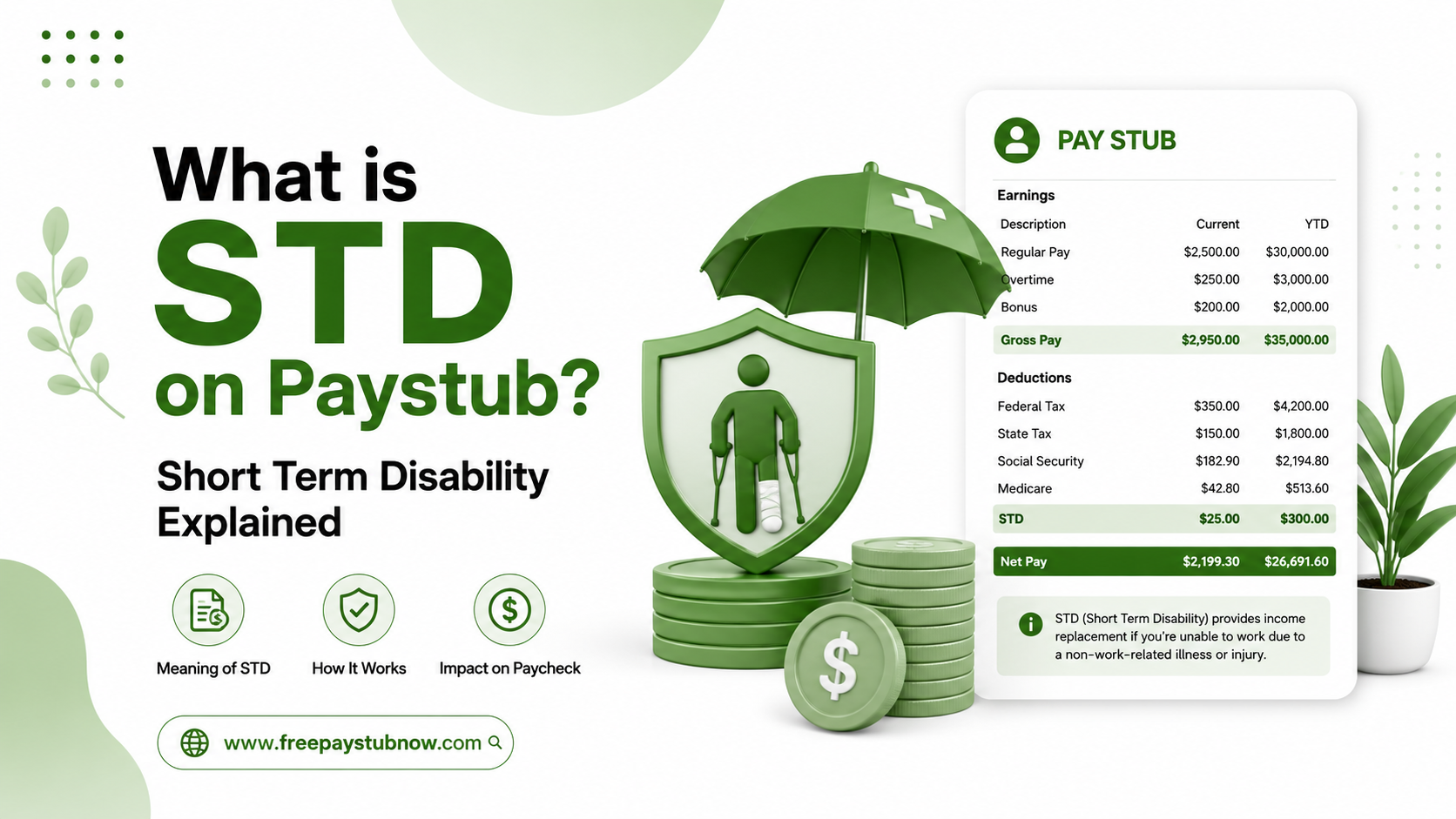
What is STD on Paystub?- Short Term Disablity Explained

Opening your paystub and spotting a name you don’t recognize is more common than most people think. One abbreviation that trips up a lot of employees is STD. No, it has nothing to do with a medical test at your doctor’s office; on a paystub, STD stands for Short-Term Disability.


If you’ve been searching for what is STD on a paystub means, you’re about to get a straightforward answer, along with everything else you need to know about this deduction.


Using a reliable pay stub generator makes it much easier to see exactly how deductions like STD show up on your earnings statement, and STD is one of the line items employees ask about the most. So let’s break it down in plain English.


STD on Paycheck: The Basic Meaning


When you see STD on a paycheck, it refers to Short-Term Disability insurance.


Employee benefits, which will cover a part of your salary for you if you suddenly lose the ability to work due to circumstances such as an injury, illness, surgery, or a pregnancy-related leave. It has nothing to do with your job, and it just exists to keep you getting a paycheck if something unexpected happens regarding your health.


Think of it as a little financial padding. This type of insurance comes into effect if you are unable to work because of a medical reason, and it pays you part of your normal salary so that you don’t end up with no money for weeks or months on end whilst recovering.


It’s worth pointing out that STD on a paystub is different from workers’ compensation. Workers’ comp covers injuries that happen to an employee on the job. Short-term disability covers everything else: the flu that turns into pneumonia, knee surgery, a difficult pregnancy, or a mental health leave.


Why Does STD Show Up as a Deduction?


Here’s the part that confuses most people: If an STD is a benefit, why is it being taken out of my pay instead of added to it?


The answer is simple. The deduction you see is the premium; basically, the cost of keeping the coverage active. Every pay period, a small amount is pulled from your check to fund the insurance pool. If you ever actually need to file a claim, that’s when the benefit gets paid out to you, separately from your regular paycheck.


So the STD deduction on the paystub you’re seeing now is you paying into the plan, not you receiving money from it.


Pre-Tax vs. Post-Tax STD Deductions


Your STD paycheck deduction will fall into one of two categories:


Pre-tax deduction Post-tax deduction
The premium is taken out before taxes are calculated. The tradeoff is that if you ever collect a benefit, that payout will usually count as taxable income. The premium comes out after taxes. In this case, if you ever need to use the benefit, the payout is typically tax-free.


What Does STD PT Mean on a Paycheck?


If your stub shows STD PT, don’t worry; it’s not a separate program. “STD PT on paycheck” simply means the deduction is being taken on a pre-tax basis. The “PT” is shorthand for pre-tax, so it’s just a more detailed version of the same STD line item, letting you know how the premium interacts with your taxes.


How Much Gets Deducted?


The amount you see for STD on a check stub will usually be one of two things:


  • A flat dollar amount taken out each pay period, or
  • A small percentage of your gross wages


The exact figure depends entirely on your employer’s insurance carrier and plan design. Some companies cover part or all of the premium as a workplace benefit, while others require employees to pay the full cost through payroll.


If you want to see exactly how a deduction like this will look before it ever hits an employee’s paycheck, previewing a paystub template can help you visualize the layout ahead of time.


When Do Short-Term Disability Benefits Actually Start?


This is where a lot of confusion happens, because paying the premium doesn’t mean the benefit is available immediately.


Most STD plans include a waiting period, usually somewhere between 7 and 14 days, before payments begin. This gap is called the elimination period, and it exists for two reasons:


  1. To confirm the disability is serious enough to require ongoing leave, rather than a one- or two-day illness.


  2. To give enough time for medical documentation and claim paperwork to be reviewed and approved.


During those first days, most employees rely on accrued sick time or paid time off since the disability benefit hasn’t activate yet.


How Long Does Coverage Last?


Once approved, short-term disability benefits generally continue for anywhere from a few weeks up to about six months, though some plans stretch coverage closer to a year. If a medical condition lasts longer than the plan allows, many employees transition into long-term disability (LTD) coverage, which is design to pick up where STD leaves off.


How to Find and Read STD on Your Paystub


If you’re trying to locate this line item yourself, here’s a quick checklist:


  • Search for a section called Deductions, Benefits, or Insurance Premiums.
  • Look for entries like STD, STD PT, or Short Term Disability.
  • Note whether the amount is list as pre-tax or post-tax.
  • Cross-check the figure against your benefits handbook or employee portal to confirm the coverage percentage.


If anything still looks unclear, your HR department can pull up the specifics of your plan, including coverage limits and the percentage of wages it replaces.


What is STD on my paycheck?


If you only remember one thing from this article, remember this: what’s STD on my paycheck simply means you’re enroll in and paying premiums toward short-term disability insurance. It is a benefit design to replace part of your income if illness happens to temporarily keep you out of work.


Final Thoughts


Seeing STD on a paystub can be frightening for the first time, but when you learn that it simply stands for “Short-Term Disability,” everything else should make sense. An insignificant amount that silently safeguards your income in the event of an illness.


If you run payroll for your team or need to generate accurate, professional paystubs that clearly reflect deductions like STD, Free Paystub Now makes the process fast and error-free so every employee can see exactly where their money is going, pay period after pay period.


Frequently Asked Questions


1) What does STD mean on a pay stub?


It is short-term disability, a payroll deduction that pays for an insurance benefit to pay part of your wages if you file a claim and end up temporarily unable to work.


2) Is STD the same as sick leave?


No. Sick leave is exhaustes first when employees are waiting for the period and before short-term disability starts. An STD typically requires a doctor to document the condition and a claim; sick leave does not.


3) How much does short-term disability pay?


Most plans replace somewhere between 40% and 70% of your regular base pay while you’re on approved leave, though this varies by employer and insurer.


4) Is the STD deduction mandatory?


Depending on your employer and, in some cases, your state. A few states mandate employers provide short-term disability coverage, while most others have it offered on a voluntary basis with employees opting for participation.


5) Can STDs be use for mental health conditions?


Yes, in many cases. Severe anxiety, depression, or burnout may also qualify if you have a note from your healthcare provider indicating the diagnosis and showing that you need the time off.


Also Read:

What is STD on Paystub?

USA Federal Holidays in 2026

How To Get Pay Stub At Walmart?

What is OASDI on My Paycheck?

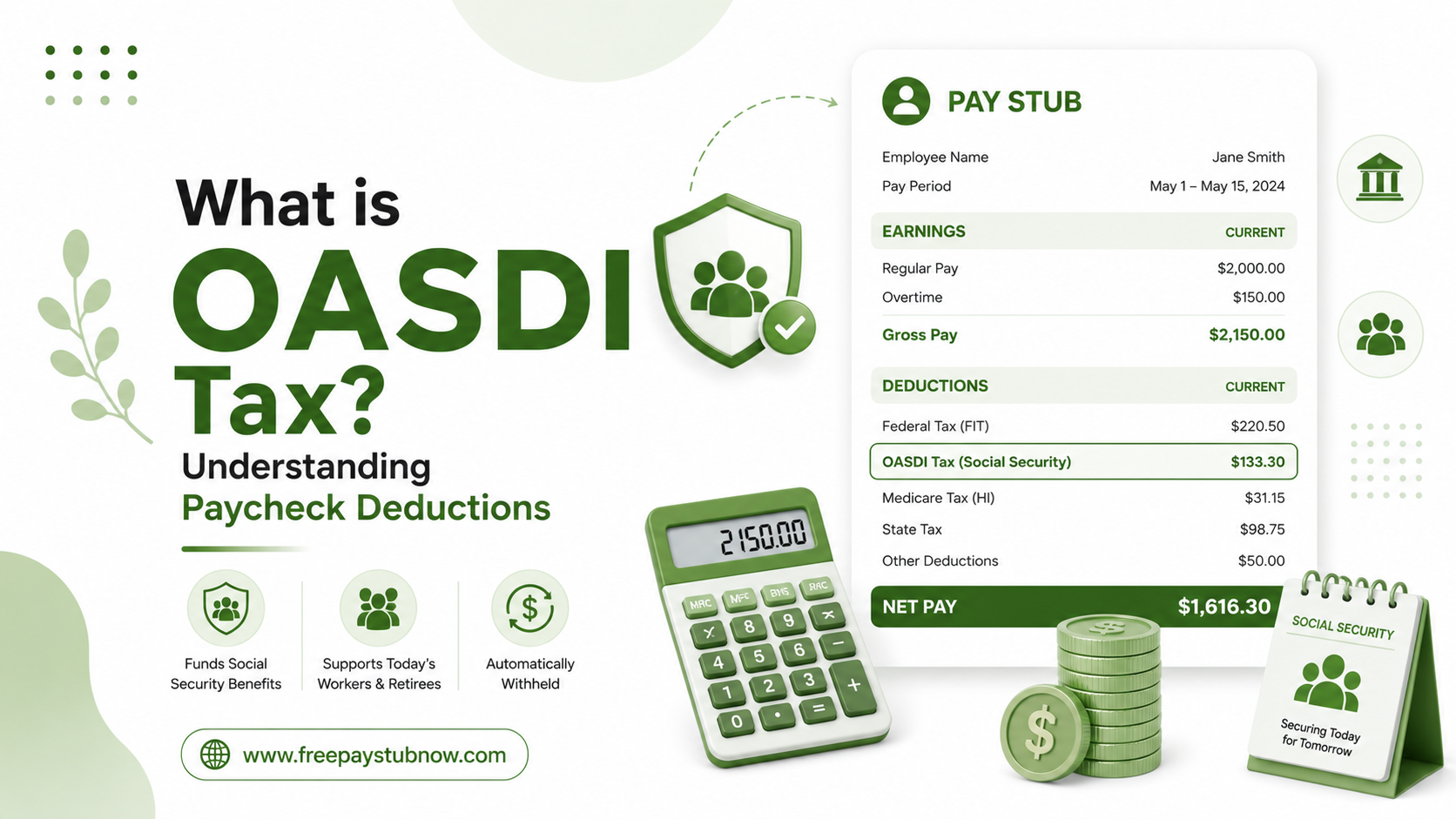
If you’ve been wondering, what is OASDI on my paycheck? Well, you’re not the only one. In fact, OASDI is one of the most frequently asked questions related to paycheck deductions, and the answer is really quite significant and life-changing for most people. Being OASDI a deduction, it isn’t just a random withholding or a clerical quirk; it is a legally irrevocable federal payroll tax that financially supports one of the greatest social safety nets ever created in U.S. history: Social Security. From income verification to payroll recordkeeping, a dependable free pay stub generator can help meet your documentation needs.


This guide covers everything you need to know about OASDI, what it stands for, what it funds, how it’s calculated, what the 2026 limits are, who is required to pay it, and how to accurately read it on your pay stub.


What is OASDI?


OASDI refers to Old-Age, Survivors, and Disability Insurance. It is the formal federal government term for Social Security tax, the payroll deduction that brings funds for retirement benefits, survivor benefits, and disability insurance for qualified American workers and their dependents.


What is OASDI Tax?


The OASDI tax is a federal payroll tax collected under the Federal Insurance Contributions Act (FICA). FICA is the broader legislative structure that authorizes two separate payroll taxes: OASDI (Social Security) and Medicare (hospital insurance). Both appear on your pay stub, but they are separate programs with separate rates and separate rules.


In the U.S., one of the least changing tax rates is that of the OASDI at 6.2% for employees since 1990. Besides, your employer has to match your 6.2% contribution, so 12.4% of your wages in total is what gets contributed to the Social Security system on your behalf every payroll period. Your employer’s part of the contribution won’t be reflected in your pay stub because that is the cost the employer, not the employee, pays.


When you see a line on your pay stub labeled as:


  • OASDI
  • Fed OASDI/EE
  • Social Security Tax
  • SS Tax
  • FICA — Social Security


The phrase /EE in Fed OASDI/EE just refers to employee, implying that this portion of the tax belongs to the employee. Various payroll software programs tend to use different names, which is often a reason for misunderstanding, but the fundamental calculation is invariably the same.


Is the OASDI tax mandatory?


In most cases, OASDI tax is mandatory for employees and employers in the United States.


OASDI, also known as Old-Age, Survivors, and Disability Insurance, is the Social Security tax that brings funding for retirement, disability, and survivor benefits.


Who must pay OASDI tax?


The following entities must pay the OASDI tax:


  • Employees: Most workers have OASDI tax automatically withheld from their paychecks.
  • Employers: Employers are required to match the employee’s OASDI contribution.
  • Self-Employed Individuals: Must pay both the employee and employer portions through self-employment taxes.


Are there any exceptions?


  • Certain state and local government employees are covered by alternative retirement systems.
  • Some nonresident aliens are working under specific visa categories.
  • Members of certain religious groups who qualify for an exemption.
  • Some foreign government employees and international organization workers.


What is the OASDI deduction?


The OASDI deduction is simply the Social Security tax that’s taken out of a worker’s paycheck. OASDI stands for Old-Age, Survivors, and Disability Insurance. It is a federal initiative that offers retirement, disability, and survivor benefits to qualified employees and their dependents.


When you earn wages, a portion of your paycheck is deducted and sent to the Social Security system. This deduction helps fund:


  • Retirement benefits for eligible workers
  • Disability benefits for workers who become unable to work
  • Survivor benefits for spouses, children, and dependents of deceased workers


The 2026 OASDI Tax Rate and Wage Base Limit


This is the point where getting a hold of the OASDI deduction can make a real difference in your money management.


Basically, the OASDI or Social Security tax is only deducted from the first part of your earnings. Beyond a certain point known as the Social Security wage base or taxable maximum, no more OASDI will be deducted from your paycheck for that year.


In 2026, the OASDI wage base limit is $184,500. This is a raise of $8,400 from 2025’s limit of $176,100 and a step up from $168,600 in 2024. The SSA makes this ceiling change every year based on variations in the National Average Wage Index, so the wage base moves and the overall growth of U.S. wages.


How Is the OASDI Deduction Calculated?


The OASDI (Social Security) deduction is calculated based on your gross wages for each pay period. For most employees in 2026, the calculation follows these parameters:


  • Employee Tax Rate: Your employer withholds 6.2% of your gross wages.
  • Wage Base Limit: This tax is only applied to the first $184,500 of your annual earnings. Once your cumulative year-to-date earnings reach this limit, OASDI withholding stops for the remainder of the calendar year.
  • Calculation Example: If your gross pay for a pay period is $3,269.23, your employer withholds $202.69 ($3,269.23 × 0.062).


Factors That Influence Your Specific Deduction:


  • Pre-Tax Deductions: Contributions to employer-sponsored HSAs, FSAs, and other Section 125 cafeteria plans are generally exempt from FICA taxes. These deductions reduce your OASDI-taxable wages, meaning you pay less in OASDI tax today, though it may also slightly lower your future Social Security benefit calculation.
  • Employer Contribution: Your employer is required to pay a matching 6.2% contribution. This is a separate cost to the employer and is not deducted from your take-home pay.
  • Self-Employed Individuals: If you are self-employed, you are responsible for the full 12.4% contribution on your net self-employment earnings.


Reading Your Pay Stub Line by Line


Below is a breakdown of the reading of your pay stub line by line:


  • Gross Pay: Your total earnings before any deductions.
  • Federal Income Tax: Withheld based on your W-4 elections and taxable income.
  • Social Security Tax: Your contribution to the OASDI program is capped at $184,500 of earnings in 2026.
  • Medicare Tax: 1.45% is the contribution made to the Medicare hospital insurance program.
  • State and Local Income Taxes: Varies by state and municipality.
  • Net Pay: What you actually take home after all deductions are made.


You will usually find the OASDI deduction displayed at the very beginning of the tax withholding part of your pay stub. It is most of the time put together with the Medicare line under the overall name FICA. For example, some pay stubs have just one FICA entry representing both Social Security and Medicare, while others list them separately. If you desire to double-check your OASDI calculation, simply get your gross earnings for that period and multiply them by 0.062. If the outcome corresponds to the OASDI item on your pay stub, then your payroll department is doing the right thing.


What Happens to Your OASDI Contributions?


OASDI (Old-Age, Survivors, and Disability Insurance) contributions are the payroll taxes deducted from your paycheck to fund the U.S. Social Security program. These contributions do not go into a personal savings account. Instead, they are used to pay benefits to current retirees, disabled workers, and eligible survivors of deceased workers.


Your OASDI taxes help support:


  • Retirement Benefits: Monthly payments for eligible retirees who have earned enough work credits.
  • Disability Benefits: Financial assistance for workers who become disabled and can no longer work.
  • Survivor Benefits: Benefits for spouses, children, or dependents of deceased workers.


Even if your contributions aren’t kept in a separate account in your name, the amount of earnings and taxes you earn throughout your career is recorded through the Social Security Administration (SSA). This income report is used to calculate your Social Security benefits.


Key Takeaways


The OASDI deduction on your paycheck isn’t some secret fee; it really represents something important in the US retirement and disability support system. It’s in federal law, and basically everyone who’s working gets it applied to them. That 6.2% of your gross wages (capped at $184,500 for 2026) is actually one of the biggest amounts that can be withheld from your paycheck.


Knowing what the OASDI tax is, its calculation, and its representation on your pay stub enables you to confirm that your payroll is accurate, arrange your take-home pay, and have a clearer understanding of your overall finances. So, whenever you see the OASDI entry on your paycheck, you will understand what it is, how it is being used, and why it is important.


FAQs


1) Do I get OASDI money back?


OASDI (Social Security) is not a tax-refundable savings account. It cannot be cashed, but you can reclaim the cash in two ways: a destiny retirement/disability benefit or a tax refund for overpayments.


2) Can I opt out of OASDI tax?


The money goes to the Social Security fund and helps pay benefits. There are some exceptions to paying OASDI taxes. Religious groups: A few religious organizations and clergy members may be exempt from paying Social Security taxes if they submit Form 4029 and get approval from the IRS.


3) How do I lower my OASDI tax?


To reduce your OASDI (Old Age, Survivors, Disability Insurance, or Social Security) tax burden, you can use specific payroll techniques, modify your commercial enterprise structure if self-employed, or maximize pre-tax deductions.


4) At what amount does OASDI stop?


The OASDI limit for 2026 is $184,500.


5) Is OASDI like a 401k?


OASDI (Old Age, Survivors, and Disability Insurance) is an honorable government program called Social Security, while a 401(k) is a company-backed individual retirement account. OASDI provides an assured safety net for retirees and the disabled, while a 401(k) is an investment account that is funded and controlled.


6) How does OASDI benefit me?


It acts as a financial protection net for you and your circle of relatives, primarily providing monthly financial benefits in the event you retire, become severely disabled, or move away based on your lifetime benefits.


7) How much is OASDI in 2026?


In 2026, the maximum earnings subject to the Social Security (OASDI) tax are capped at $184,500.


8) Do I pay OASDI in retirement?


No, you do not pay OASDI (Old Age, Survivors, Disability Insurance, or Social Security) taxes on standard retirement income. However, you will pay OASDI tax anyway if you keep the paintings or earn benefits through self-employment, regardless of your age.


9) Where does my OASDI money go?


OASDI (Old Age, Survivors, Disability Insurance) payroll taxes go to the Social Security Administration to fund the monthly monetary benefit of modern retirees, qualifying disabled, and surviving spouses or children of deceased workers.


10) Why does OASDI take so much?


OASDI (Old-Age, Survivors, and Disability Insurance) is an honorable call to Social Security. It takes a substantial chunk out of your paycheck because it pays a flat 6.2% tax on your gross pay to fund the benefits of the current circle of retirees, disabled people, and relative participants and survivors.


Also Read:

What is STD on Paystub?

USA Federal Holidays in 2026

How To Get Pay Stub At Walmart?

What Is GTL on Paystub? Group Term Life Explained

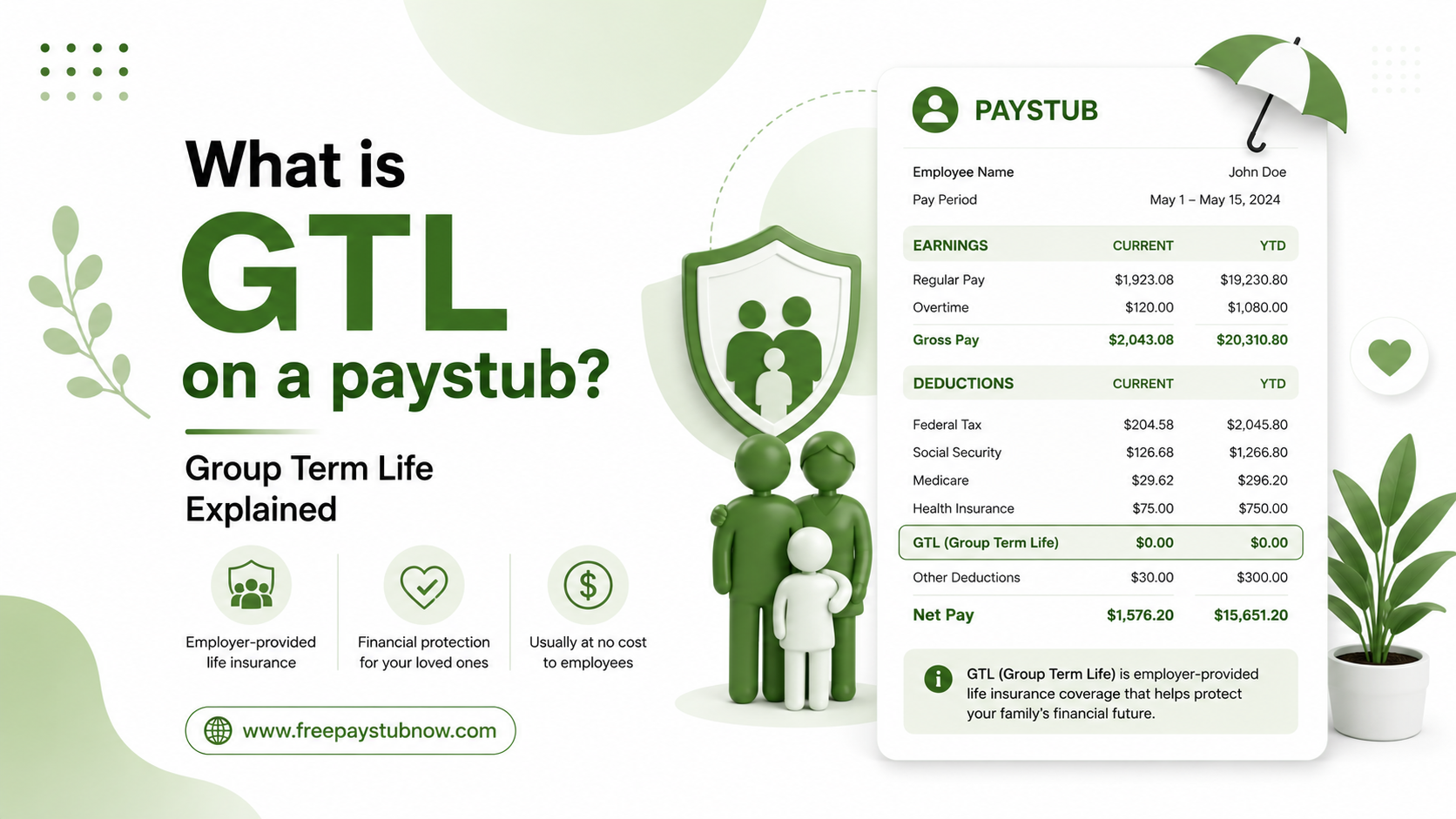
If you have ever scanned your pay stub and spotted GTL on your earnings or deductions codes, then you’re not alone. A lot of workers come across this record and are puzzled, wondering if they are being billed for something and if it even has an impact. As experts, it is highly unlikely that GTL would have a direct effect on your take-home pay, but it can indirectly affect the taxes you owe. Grasping what GTL means, how it is computed, and the reason why it appears on your pay stub will enable you to comprehend your paycheck and prevent surprises when the tax season arrives.


In this blog, we will understand GTL, how it is calculated, and why it shows on your paystub. You can help in making sense of your paycheck stub. Generate detailed and professional pay stubs without the stress by choosing a trusted free pay stub generator.


What is Group Term Life Insurance?


Group term life insurance is a type of life insurance coverage provided by an employer, organization, or association to a group of people under a single policy. It offers a death benefit to the insured person’s beneficiaries if the insured dies during the coverage period, typically at little or no cost to the employee.


You won’t receive a larger salary due to GTL. Actually, it’s a phantom amount that the IRS instructs your employer to include in your taxable wages since the life insurance benefit you were given has a value, although that value is never really credited to your account.


Owing to payroll systems, your GTL on paycheck data will boost your gross taxable wages, which in some instances may alter your paycheck deductions (for Social Security and Medicare) slightly, even though your real take-home pay is not decreased by the GTL amount itself in most cases.


What Does GTL Stand For on Paycheck?


GTL stands for “group term life insurance,” which is a type of policy that covers many people, typically employees or group members, under a single policy. In general, the employer or organization owns the policy.


Who is eligible for Group Term Life Insurance?


The eligibility criteria differ by organization and policy; they are typically determined by the following:


  • Group membership: Groups could be employees of a certain status, such as high-level executives or members of a labor organization.
  • Employment status: Typically, the employee has to be working full-time. However, part-time employees may be eligible if they work enough hours.
  • Waiting period: Some employees may have to work at a company for a certain period before they’re eligible to sign up. The waiting period could be a few days to a few months.
  • Age: The policy may only be available to people within a certain age range. When the employee reaches a certain age, their coverage may be reduced or canceled.


The $50,000 Rule: Why Does GTL Become Taxable?


Understanding GTL on your pay stub starts mainly with this. IRC section 79 allows a taxpayer to exclude the first $50,000 of group-term life insurance coverage from taxation if such coverage is provided under a policy carried (directly or indirectly) by a taxpayer’s employer. No tax consequences result if the aggregate amount of such policies does not exceed $50,000.


Even so, the calculations change when your coverage is more than $50,000. Income must include the imputed cost for coverage beyond $50,000 based on IRS Premium Table rates and will be subject to Social Security and Medicare taxes. It does not matter if the excess coverage is derived solely from your employer’s base policy or from a combination of your base coverage plus any employer-paid supplemental coverage.


Actually, this $50,000 exclusion threshold is not a recent removal from the tax code but instead a taxed amount that has been a part of the tax code for decades and is still applicable for the current tax year, so employees do not have to track the annual changes to this specific number. What is most important for the calculations is the age-based rate table.


How is GTL’s imputed income calculated?


To calculate the GTL imputed income, use this formula:


[{coverage amount – $50,000) / 1,000] * IRS Monthly Rate * 12 Months.


Example 1:


A 45-year-old with $150,000 coverage has $100,000 excess.


At $0.15 per $1,000 monthly:


$0.15 x 100 x 12 = $180 annual imputed income.


Example 2:


A 55-year-old with $100,000 coverage has $50,000 excess.


At $0.43 per $1,000 monthly:


$50,000 / 1,000 x $0.43 x 12 = $258 annual imputed income.


To verify GLT on the paystub, calculate the following steps:


  • Find your coverage amount from HR
  • Subtract $50,000
  • Divide by 1,000
  • Multiply by your age-based monthly rate
  • Check your paystub against this calculation


Wondering what GTL is on my pay stub if the amount appears incorrect? The first step is to find out your coverage amount by contacting HR. Besides that, you can know the calculations of W-2 wages from the pay stub to compare with your year-end totals.


Does GTL Affect Your Paycheck or Just Your W-2?


Generally, your net pay (i.e., the real amount credited to your bank account) is not decreased because of GTL imputed income since you do not have to pay any money from your pocket for this benefit. Still, your taxable gross wages on the pay stub will be higher than your regular gross pay only because the GTL amount is added in. This may influence the amounts withheld for Social Security and Medicare taxes on that particular paycheck, as GTL imputed income is subject to FICA.


At the end of the year, all of the cumulative GTL imputed income for the year will be shown in Box 1 (wages), Box 3 (Social Security wages), and Box 5 (Medicare wages) of your W-2, and it is usually also separately identified in Box 12 with the code C. If you have ever wondered why your year-to-date taxable wages differ from your year-to-date gross pay, GTL imputed income is often the cause.


Also Check: YTD Meaning in Paycheck


GTL Insurance Coverage Limits


With any GTL insurance policy, there can be a max death benefit you can select. The maximum benefit is influenced by the following factors:


  • Salary: Most commonly, the coverage limit is a multiple of your salary. For example, if you make $100,000 and the limit is three times your annual salary, you can select a death benefit up to $300,000.
  • Position: Companies sometimes determine the death benefit maximum based on your position in the company, with more coverage available to higher-level employees
  • Flat Amount: The company may set a death benefit maximum, regardless of your salary or position. Otherwise, the limit could be a flat amount, regardless of the employee’s salary or rank within the company.


How is GTL reported on your W-2?


GTL imputed income is printed on your Form W-2 in several places.


To begin with, it is part of your total taxable wages in Boxes 1, 3, and 5. Also, you will find the exact amount of GTL separately in Box 12 under Code C.


So, for taxation purposes, what does GTL refer to on paycheck records? GTL on paycheck records stands for Group Term Life insurance, and the value shown in the line is the taxable part of this benefit. If you want a more thorough explanation of each part, our guide on how to read a W-2 explains what is in each box.


Before you file your taxes, double-check your December paystub to make sure your W-2 details are correct. The year-end GTL on paystubs sum should be the same as the amount in Box 12, Code C.


Additional Group Term Life Insurance Features


While group term life insurance policy details will vary, they may include the following features:


  • Accidental Death: There is possibly an accidental death and dismemberment, or AD&D, insurance rider that would provide you with an extra benefit in some situations, like a fatal accident, loss of any two limbs, or loss of both eyes.
  • Coverage for Dependents: You may be able to add your spouse or children to the policy as well, although you’d have to pay extra.
  • Waiver of Premium Rider: If you become disabled and are unable to work, your premiums will be waived while the policy remains active.


Key Takeaways

Even if you notice GTL on your pay stub, it does not necessarily mean you have done something wrong; it is simply the IRS’s system of making sure that it is employer-provided benefits whose value is kept under control and properly reported at the time of paying taxes (for instance, excess life insurance coverage over $50k). 


Having become familiar with the abbreviation GTL as well as the method of calculation will equip you to interpret your pay stub without fear and to refrain from puzzling yourself when you compare your gross pay against the taxable wages shown in your W-2 form. In case the GTL imputed income you have been told of appears to you to be very high, or you are not very clear as to how the insurance coverage you have is arranged, the human resources or payroll section in your place of work is the one that can give you the most correct information.


Frequently Asked Questions


1) What is GTL on a paystub?


On a paystub, GTL stands for “Group Term Life Insurance.” It represents life insurance coverage provided to you by your employer.


2) What is GTL in the salary slip?


“GTL on payroll” stands for “Group Term Life” coverage. This represents an existence coverage policy provided by your organization that covers a collection of employees under an unmarried contract, providing financial security for your beneficiaries in the unfortunate event of your passing away during employment.


3) What does GTL mean for benefits?


Group Term Life (GTL) benefits are corporate-paid benefits that are paid in the event of a worker’s death, even if included. If the overall volume of such policies does not exceed $50,000, there are no tax consequences.


4) What is GTL on the US payroll?


Nowadays, group term life (GTL) insurance is crucial in comprehensive benefits packages because it offers staff an affordable path to coverage without requiring medical tests. Often, simple GTL life insurance is outside the scope of payroll because it’s not considered taxable earnings.


5) Can you cash out group term life insurance?


Because the number of years it covers is limited, it generally costs less than whole life policies. But term life policies typically don’t build cash value. So, you can’t cash out term life insurance.


6) What is the free cover limit in GTL?


The Free Cover Limit (FCL) of coverage in Group Term Life (GTL) is the highest sum assured for insurers without requiring a medical examination or personal health declarations. If the FCL of the policy is ₹50 lakhs, a worker is automatically covered up to ₹50 lakhs; any amount above that requires scientific underwriting.


7) Are group term life insurance benefits taxable?


Group period life coverage is a common place for professional advantage. It generally offers tied or low-fee insurance based on your annual salary. Generally, you lose coverage when you leave your activities, so remember to purchase a policy even when you’re out of work.


8) Does group term life have a cash value?


No, there is no face value for institute lifestyle coverage. Because these miles are a form of term life coverage, these miles can be strictly designed to provide a death benefit for a particular timeframe. It doesn’t serve as a vehicle for saving or investing.


9) What happens if I don’t repay my life insurance loan?


If you default, the loan amount and any accumulated interest could be used to reduce the value of your impairment benefit of greenbacks per dollar. For example, if you have a $250,000 loss of life benefit and still owe $50,000 in life insurance loans, the coverage can be reduced to $200,000.


10) When should I cancel term life insurance?


Cancel term life insurance by self-insuring, which means your dependents are financially sound, the mortgage is being paid off, and your accumulated financial savings or investments can barely cover living and final expenses. Otherwise, loved ones become unprotected in opposition to losing your benefits by dropping insurance.

YTD Meaning in Paycheck: How to Read Your Earnings Correctly?


Each time you get paid, you most likely just look at the last figure, the sum that has been deposited into your bank account, and then you forget about it. Though if you have ever taken your time to examine those other figures on the pay stub, you may have even seen a section marked YTD and wondered what YTD meaning in paycheck is?


It may look like a mere three-letter acronym, but in fact, this is packed with insights that most employees take for granted. If you are estimating your income and expenses for the year, getting your tax documents in order, checking if the salary payments are correct, or filling out a loan application form, knowing what YTD stands for is one of the most essential financial literacy skills you can acquire. Creating pay stubs doesn’t have to be complicated when you have access to a trusted free paystub generator. This blog explains everything in a simple, comprehensive, and accurate manner.


What does YTD mean on a Pay Stub?

YTD stands for Year-to-Date. When you see it on your paycheck or pay stub, it represents the cumulative running total of a specific figure, earnings, deductions, or taxes from January 1 of the current calendar year up to the date of your most recent paycheck.


So what does YTD mean in plain English? Think of it as a scoreboard that maintains updates every pay period. Every time you get paid, your YTD total goes up. Your YTD figures as of December 31 form your complete financial picture for the entire 12 months.


What is the YTD Amount? Breaking down YTD Taxes

What is the YTD amount? The answer depends on which YTD line you are looking at. Most of the pay stubs showcase 3 primary YTD figures:


1- YTD Gross Pay

This is the total amount you have earned before any taxes are taken out. It includes:


  • Your regular wages
  • Overtime pay
  • Commission and bonus
  • Tips and other taxable compensation
  • Imputed income


Related Reading: Learn more about the differences in Gross Pay vs Net Pay.


2- YTD Deductions

YTD deductions are the total of everything withheld from your paychecks since 1st January. This includes:


  • Federal income tax (FIT)
  • State and local income taxes
  • Social Security tax
  • Medicare tax
  • Health, dental, and vision insurance premiums
  • 401(k) or other retirement contributions
  • Health Savings Account (HSA) contributions
  • Union dues or other voluntary deductions


3- YTD Net Pay

Take-home pay is the total that you have been left with and received each year after all taxes and deductions are taken out of your gross wages. It is the total of all the net figures from each paycheck that you have received so far in the current year.


What does YTD mean on payslip?

YTD on a payslip stands for Year-To-Date. It shows the full total of specific earnings or deductions from the beginning of the calendar year up to the current pay period. For example, if your payslip shows:


  • Gross pay (Current): $2,000
  • Gross pay (YTD): $24,000


This means that you have earned $2,000 during the current pay period and $24,000 in total since January 1 of the current year.


Salaried employee: These employees generally see stable synchronous time units, so that YTD data is cleared to assignment. Multiply your gross salary corresponding to the period by the multiple differences that have been exceeded, and you need to get your YTD gross.


Hourly employee: Hourly employees may also see more versions in modern-day benefits because of fluctuating hours, overtime, or shift differences. YTD data are particularly beneficial right here because they replicate every form, not just unmarried, in all likelihood abnormal, salary length.


Freelancers: Freelancers who generate their own pay stubs will use YTD to track accrued benefits for hypothetical tax bills, as they are responsible for paying their individual FICA taxes quarterly.


Common YTD figures on a payslip include:


  • YTD Gross Pay: Total earnings before deductions.
  • YTD Net Pay: Total take-home pay received.
  • YTD Federal Income Tax (FIT): Total federal taxes withheld.
  • YTD Social Security Tax: Total Social Security contributions.
  • YTD Medicare Tax: Total Medicare contributions.
  • YTD Retirement Contributions: Total amounts contributed to retirement plans.


Why YTD Figures Matter? Top 5 reasons

Below is where this knowledge becomes popular:


  • Tax Preparation: Each January, your W-2 form, issued through your organization, reflects your annual total. YTD gross pay for the year. You need to carefully fill in Box 1 (Salary, Tips, Other Compensation) on your W-2 for your final pay stub. Checking this before tax season helps trap payroll errors early.
  • Loan and Mortgage Applications: Lenders often ask for proof of year-to-date benefits. Your pay stub’s YTD benefits serve as the most modern, respected document of what you earned and received more recently than the W-2, which most easily captures the 12 months from the past.
  • Verifying Payroll Accuracy: Payroll errors occur. If you keep track of your profits and how many pay periods have passed, you can quickly verify if your YTD gross is accurate. Catching discrepancies in advance before year-end W-2s are issued makes corrections somewhat less complicated.
  • Annual Budgeting and Financial Planning: YTD numbers provide an up-to-the-minute insight into your financial path. Comparing YTD earnings versus YTD deductions reveals to you the precise share of your earnings that goes toward taxes and benefits. This is very important information for changing your withholding, boosting your retirement contributions, or working out your budget.
  • Tracking Tax Caps and Milestones: Some tax deductions are limited and will not continue once you cross certain thresholds. One example is the withholding of Social Security tax (6.2%), which will cease in 2026 when your year-to-date (YTD) wages reach $184,500. If you are closely monitoring your YTD Social Security wages as they near the limit, you will realize that you will receive more net pay in the last part of the year, which can be quite significant for those earning more.


How to calculate your own YTD figures?

Below, we have mentioned the calculation of your own YTD figures:


1- Calculate YTD Gross Pay

Add together all of your gross earnings from the beginning of the year.


Formula: YTD Gross Pay = Sum of all gross pay earned since January 1.


2- Calculate YTD Net Pay

Add all the net pay amounts (take-home pay) from each paycheck.


Formula: YTD Net Pay = Sum of all net pay received since January 1.


3- Calculate YTD Tax Withholdings

Add all taxes withheld from your paychecks throughout the year, such as:


  • Federal Income Tax (FIT)
  • State Income Tax (if applicable)
  • Social Security Tax
  • Medicare Tax


Formula: YTD Tax = Total taxes withheld from all paychecks since January 1


4- Calculate YTD Deductions

Add them up with all the non-tax deductions, which include:


  • Health insurance premiums
  • Dental or vision insurance
  • Retirement contributions (401(k))
  • HSA/FSA contributions
  • Other voluntary deductions


Formula: YTD Deductions = Total deductions taken from all paychecks since January 1


Key Takeaways

Understanding the YTD meaning on a paycheck is not complicated at all when you know what to trace back to: it is your current cumulative total for the year, refreshed with each paycheck. However, the doors opened by comprehending those figures are far from insignificant. Among other things, payroll checking, accurate tax return filing, and financial year scheduling are the main functions for which the YTD numbers on your pay stub act as the most practical resource points that you, as an employee, get.


Frequently Asked Questions


1) What is a pay period in YTD?

On a pay stub, YTD stands for Year-to-Date. This represents the total amount of your income, taxes, and deductions from the beginning of the calendar year for the 12 months to your current day’s payday.


2) What is YTD on your paystub?

The YTD on the pay stub indicates total pay or earnings from the beginning of the contemporary calendar to the current pay period. Most pay stubs include a running general of YTD earnings along with gross pay and net pay.


3) Does YTD mean the last 12 months?

No, YTD (Year-to-Date) is not the last 12 months.


4) What is a good YTD return?

A desirable year-to-date (YTD) return depends on your asset allocation, but in general, beating the broader market benchmark with the S&P 500 is considered the ultimate measure of fulfillment for portfolio investors.


5) Why does my W-2 not match my YTD?

They may also reflect extraordinary salaries. Year-end pay stubs will show the entire, or gross, benefit received by the worker, while the W-2 is a precise record of the taxable earnings received within the calendar year.


6) How does YTD affect my bonus?

YTD gross amount covers all your paychecks from January 1 up to the current pay period, it also includes bonuses, overtime, and commissions that you may not consider as regular income. If the YTD gross seems to be higher than expected, then a one-time payment (bonuses, stock vesting, commission) could be the reason that is reflected in a single paycheck without your knowledge.


7) Why is YTD on pay slips?

This part gives you a brief overview of your total earnings and deductions for the year to date. It’s useful to review your gross income, and the taxes, superannuation, and other amounts that have been withheld from your pay.


8) Is YTD gross or net pay?

YTD (Year-To-Date) can be both gross or net pay, depending on what specific metric you are looking at. Pay stubs typically list both.


9) What does year to date mean?

Year to Date (YTD) refers to the time period beginning on the first day of the current calendar or fiscal year and extending up to the present day.


10) What is ytd amount?

Year to date information can be used to understand a company’s earnings, net pay, or investment returns before the year is over. The YTD financial statements can be analyzed to determine the financial health of the business and how it compares to other similar companies.